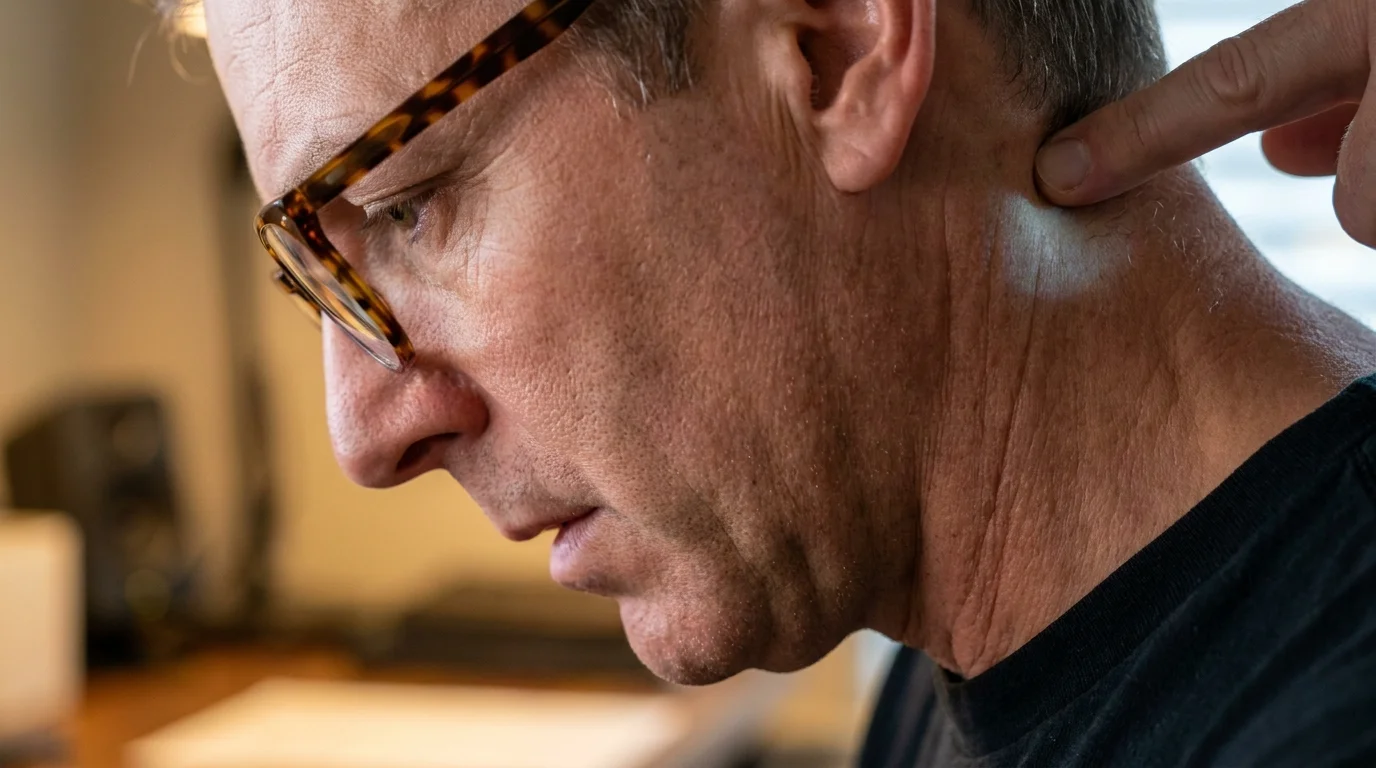
Around three in the afternoon, the natural light across your desk begins to thin, casting quiet shadows over your keyboard. Right on schedule, an insistent, heavy tightness gathers at the very base of your skull—a dull ache that feels like a rusted hinge clamping down where your head meets the top of your spine. You lift a hand to knead the stiff knots along your upper neck, assuming your screen brightness is too high or that your afternoon posture has quietly collapsed.
Yet if you pause mid-stride, you will notice exactly where your chin is pointing. Without thinking, you have lifted your nose toward the ceiling. Your progressive reading glasses sit perched on the bridge of your nose, and to catch the sharp, crystalline text on your screen, you crane your chin upward to peer squarely through the lower crescent of the lens.
In fifteen-second increments, this mechanical compensation feels entirely harmless. You tilt back, check a spreadsheet column, scan a sentence, and drop your head back down. But over an eight-hour workday, this unconscious micro-tilt forces the small suboccipital muscles under your skull to act as hydraulic clamps, balancing twelve pounds of bone at an awkward backward slant.
That throbbing band of tension is rarely caused by failing eyesight or mental strain. Instead, it is the direct physical consequence of peering through a split-focal corridor—a structural mismatch that silently pinches cervical nerves and turns ordinary desk work into an afternoon endurance test.
The Periscope Trap: When Clear Vision Triggers Structural Strain
Progressive lenses are engineered as an optical compromise, stacking distant, intermediate, and near prescriptions into a single vertical sheet of resin. Because the reading zone sits along the bottom third of the frame, your eyes are expected to drop downward while your skull stays level. But modern computer monitors sit directly in front of you, not flat on your lap like a folded morning paper.
To reach that reading sweet spot without moving your monitor, your neck defaults to a periscope movement. By tilting the chin up by just an inch or two, the delicate suboccipital nerve cluster gets compressed between the base of your skull and the atlas vertebra. What begins as a visual adjustment rapidly cascades into vascular and muscular irritation.
- Titanium dioxide coatings in daily capsules resist stomach breakdown sparking chronic belly bloat
- Tight trouser waistbands compress lower ribcage space triggering sudden midday chest tightness
- Cold water gargling overrides racing pulse spikes during lonely moments of panic
- Textured watch bands ground sudden workplace anxiety spikes without drawing room attention
- Peanut cooking oil searing releases harsh fumes that trigger sudden afternoon brain fog
Your body treats this unnatural backward tilt as an emergency stabilization event. The deep neck flexors in the front go completely slack, while the rear cervical bands lock into a state of chronic, low-grade spasm. You get sharp text on the screen, but you pay for it with restricted blood flow and a throbbing occipital ache that mimics a stubborn tension migraine.
Dr. Marcus Vance, a 54-year-old clinical optometrist and occupational ergonomics consultant in Columbus, Ohio, sees this mechanical injury pattern daily in desk workers over forty-five. “People arrive convinced their prescription is failing or that they have developed chronic migraines out of thin air,” Vance notes. “In reality, their lens reading corridor sits just four millimeters too low for their display height, turning routine head movement into an involuntary neck wrench by mid-afternoon.”
Adjustment Layers: Pinpointing Your Everyday Strain Profile
The severity of this backward tilt depends heavily on how your workspace intersects with your frame geometry. Identifying your specific usage habit is the first step toward releasing the tension.
The Multi-Monitor Navigator: If you work across dual panoramic displays, you are not just tilting backward; you are rotating your neck horizontally while in hyperextension. This compounds the suboccipital pinch with rotational shear on the upper cervical facets, sparking localized throbbing that radiates behind one ear.
The Laptop Clustered Reader: Working directly off a compact laptop on an office desk forces an aggressive cycle. You lean your torso forward to compensate for the small screen, then crane your neck up sharply to peer through your bottom reading zones. This double-bend posture compresses both the thoracic outlet and the skull base simultaneously.
The Frameless Wire Minimalist: Small, narrow frames offer very little vertical corridor space. Because the transition between intermediate and reading distance is compressed into a tiny vertical channel, your head must perform exaggerated micro-adjustments just to keep a single paragraph in sharp focus, fatiguing tiny stabilizer muscles within an hour.
Calibrating the Corridor: Mindful Ocular Alignment
Fixing this mechanical pinch does not mean giving up crisp vision. It requires aligning the physics of your workspace with the optical reality of your glasses so your cervical spine can rest in neutral balance.
Start with a simple posture inventory. Drop your shoulders, let your breath settle deep into your lower ribs, and allow your chin to rest completely level with the floor. From this calm, balanced baseline, let your gaze—not your neck—direct your reading.
- Lower Your Display: Lower your external computer monitor until the top line of text sits roughly two to three inches below horizontal eye level. This geometry allows your gaze to naturally drop into the reading corridor without lifting your chin.
- Adjust the Pantoscopic Tilt: Ask your optician to gently bend the frame temples so the bottom of the rims angle slightly inward toward your cheeks by eight to twelve degrees. This subtle angle brings the reading zone closer to your pupils without requiring a head tilt.
- Shorten the Vertex Distance: Push your frame comfortably close to the bridge of your nose. Bringing the lens closer to your eyes widens your usable field of view through the corridor, reducing the need for constant skull adjustments.
- Consider Dedicated Task Optics: If you spend more than four hours a day at a desk, invest in intermediate computer glasses. These dedicate the entire upper two-thirds of the lens to screen distance, eliminating the split-corridor conflict entirely.
Adopt the “nose-follows-eyes” habit throughout your afternoon. Rather than tilting your chin back to find clarity, guide your vision deliberately downward with your ocular muscles while keeping your neck long, relaxed, and floating comfortably over your collarbones.
Reclaiming the Horizon Beyond the Lower Half
When you spend your working life peering through compromises, physical strain becomes background noise. You adapt to the tight band around your temples and the burning ache below your ears, assuming it is merely the unavoidable toll of staring at pixels for a living.
Yet eyesight should never feel like an athletic feat of spinal stabilization. When your optics align with your natural anatomy, the tension at the base of your skull softens almost instantly. Your shoulders unhike, your jaw releases, and reading returns to what it was always meant to be: an effortless, quiet window into your daily work.
“The human neck was built to support a balanced skull surveying the horizon, not to act as an adjustable tripod for an optical corridor placed in the wrong quadrant of life.”
| Key Point | Detail | Added Value for the Reader |
|---|---|---|
| The Periscope Reflex | Craning chin backward to engage lower lens zones. | Recognize unconscious movement habits before throbbing headaches begin. |
| Suboccipital Nerve Pinch | Compression of upper cervical nerve roots under backward skull tilt. | Identifies the true mechanical cause of dull late-afternoon head tension. |
| Display Height Matching | Positioning screen two to three inches below horizontal gaze. | Allows natural downward eye tracking while keeping cervical spine in neutral. |
| Pantoscopic Frame Angle | Adjusting lens inward 8 to 12 degrees toward the cheeks. | Brings reading portion into focal reach without moving the head. |
Frequently Asked Questions
Why does this throbbing headache only happen in the late afternoon?
The suboccipital muscles can easily endure brief bouts of chin hyperextension, but holding a backward micro-tilt for hours causes slow muscular exhaustion and restricted blood flow that peaks by mid-afternoon.Can I fix this problem without buying a new pair of glasses?
Yes. Lowering your desktop display height by a few inches or asking an optician to bend your frames to increase pantoscopic tilt often eliminates the need to lift your chin at all.How do I tell the difference between eye fatigue and an occipital nerve pinch?
Eye fatigue typically feels like dry, burning sensations or aching behind the eyeballs, whereas a cervical pinch produces a dull, vice-like band starting where the neck meets the skull that spreads upward.Are dedicated computer glasses really worth having alongside progressives?
For anyone working over four hours daily at a monitor, yes. Dedicated computer lenses expand the intermediate focal zone across the entire viewing area, letting you look straight ahead with zero neck tilting.Does tucking my chin in while working help relieve the pressure?
Forcefully tucking your chin creates opposite tension along the front neck flexors. Instead, focus on lowering your screen so your gaze points downward naturally while your neck remains neutral and relaxed.