The late afternoon sun cuts across your workspace, hitting the corner of your second display at a sharp diagonal. You reach for your warm mug of black tea, rub your left temple, and feel that familiar, dull weight tightening just beneath the shelf of your skull. It feels almost like an iron band slowly clicking shut, radiating upward behind your ears and settling right behind your eyes before the clock even strikes four.
You probably blame your blue-light exposure, an old office chair, or the third cup of drip coffee you drank on an empty stomach before noon. Most desk workers assume this throb is just the inevitable cost of sitting down to earn a living in a digital office. You stretch your back, roll your shoulders toward your ears, and try to shake off what feels like a tension headache taking root.
Yet the real culprit is sitting completely silent on your desk, angled neatly toward your peripheral vision like an open book. Without realizing it, you spend six to eight hours a day holding your chin three degrees to the left or five degrees to the right. That minute, frozen rotation transforms your neck into a mechanical lever carrying forty pounds of sustained pressure, quietly suffocating the tiny nerves that run into the crown of your head.
The Suboccipital Fulcrum: Why Minor Angles Create Major Spasms
Think of your skull as a bowling ball balanced precariously atop a broomstick. When you face directly forward, your cervical spine distributes that eleven-pound weight evenly across vertebrae, ligaments, and deep spinal stabilizers. Gravity works in your favor when your eyes align flush with your work horizon, requiring almost zero conscious muscular effort to keep your head steady.
The moment you set up angled desk monitors—turning that secondary screen forty-five degrees to monitor email, messaging apps, or spreadsheets—the broomstick tilts. You do not notice the shift because your eyes naturally compensate to keep the horizon line level, but the four miniature muscles at the top of your spine, known as the suboccipital group, must contract continuously to prevent your head from falling off center.
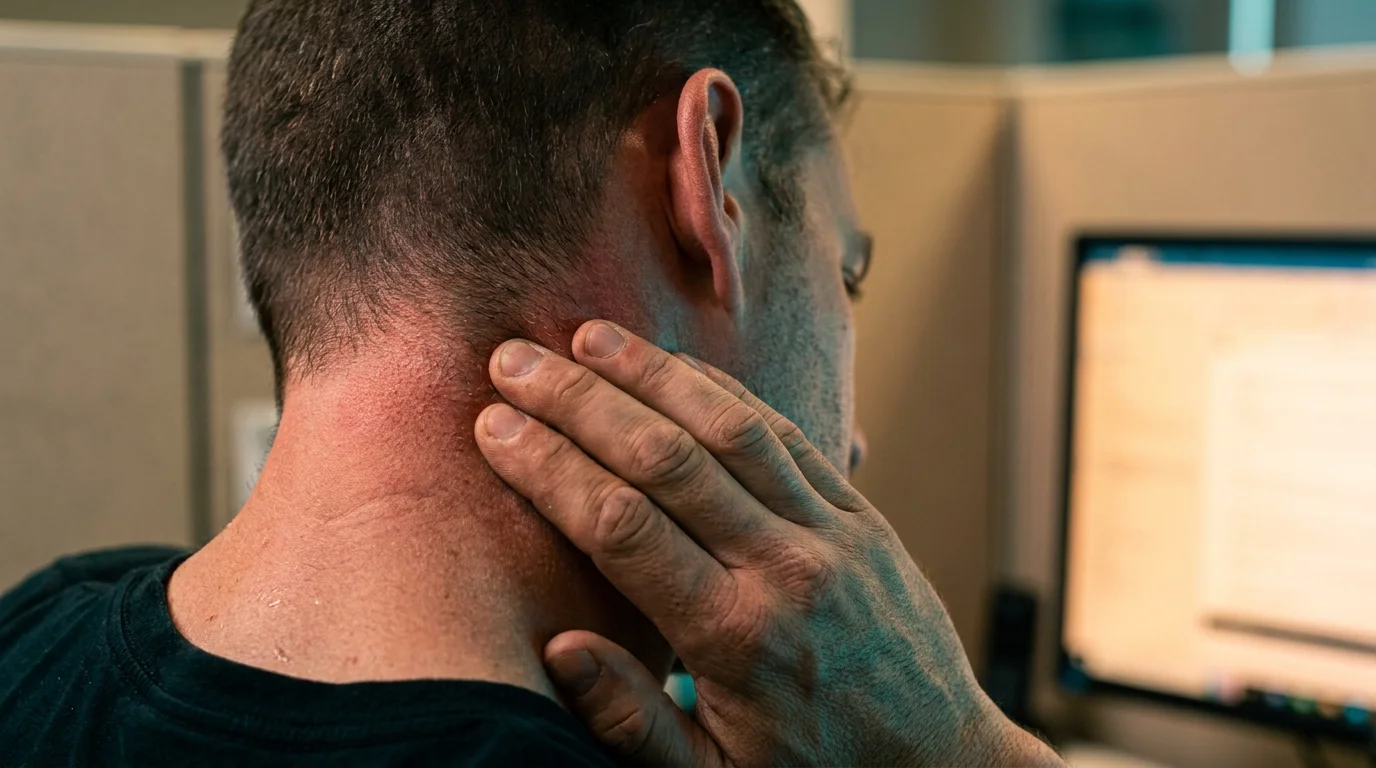
These tiny muscles are not built to act as structural cables; they are precision steering wheels designed for quick, darting glances across an open field. When trapped in a static, offset rotation for hours, they swell, stiffen, and compress the greater occipital nerve that weaves directly through their fibers. What feels like a mysterious, throbbing skull throb is simply an angry nerve screaming under the clamp of overworked muscle tissue.
- Magnesium stearate capsules trap chalky undigested sediment provoking persistent lower stomach bloating
- Snug shapewear tanks squeeze your lower ribcage triggering sudden shallow breath tightness
- Cold wrist soaks halt rapid pulse spikes and steady shaking hands
- Frozen lime slices shock stubborn nervous system loops halting sudden panic surges in seconds
- Omega-3 fish oil capsules demand evening dinner pairing to stop sluggish metabolic clearance
Consider Dr. Marcus Vance, a 48-year-old biomechanics consultant in Chicago who evaluates high-output corporate trading desks. Marcus spends his days watching software engineers and financial analysts clutch their upper necks while popping over-the-counter painkillers. In his private consultations, he often wagers that simply sliding a side monitor three inches closer to center line will eliminate eighty percent of an analyst’s afternoon skull pressure within forty-eight hours—and he rarely loses that bet.
Diagnostic Profiles: Mapping Your Screen Setup to Your Symptoms
Not every workspace creates the exact same mechanical stress. Depending on whether you work off an offset dual setup, a raised laptop perch, or an ultra-wide curve, your body adapts in distinct, protective patterns that dictate where the throbbing concentrates.
The Dual-Screen Splitter
If you keep two identical monitors split right down the middle, your primary workspace is essentially an empty seam. You spend your entire day toggling your gaze between the left panel and the right panel, meaning your cervical spine spends zero percent of its working day in a neutral resting position. Rotational fatigue sets in early, typically producing sharp, unilateral stiffness at the base of the skull on your dominant eye side.
The Secondary Laptop Perch
Setting a wide desktop monitor directly in front of you while propping an open laptop off to your right creates a double-axis torque. Every time you glance down and away to verify a message or glance at a calendar, your neck simultaneously flexes forward and twists laterally. This combination produces immediate shearing force on your upper cervical joints, provoking that heavy, bruised sensation that crawls down toward your shoulder blade by mid-afternoon.
The Panoramic Ultrawide User
Curved screens promise immersive visibility, but users often park their active windows on the far outer edges while leaving the center display empty. When you track moving text across a broad radius without turning your torso, your neck muscles fire in a constant, low-grade micro-spasm. Over months, this subtle tracking habit locks your upper cervical vertebrae into a rigid splint, leaving you with morning stiffness that feels like sleeping on an unforgiving hotel pillow.
The 10-Minute Desk Alignment Protocol
Fixing this persistent ache does not require purchasing an expensive motorized desk or undergoing aggressive physical therapy. It requires treating your visual field like a sniper scope, ensuring your primary tasks remain squarely within your skull’s neutral baseline.
- Establish a true primary anchor: Choose the single window or program you use for seventy percent of your workday and center it directly in line with your nose. Your secondary screen should function as an occasional reference library, not a co-equal workspace.
- Level the upper bezel to eye height: When sitting tall, your natural, relaxed gaze should land roughly two inches below the top plastic frame of your screen. If you must tilt your chin upward to read your browser tabs, your display is mounted too high and is directly jamming your suboccipital joints.
- Turn with your sternum, not your chin: Whenever you must spend more than two minutes reading documents on a secondary screen, swivel your entire office chair so your breastbone faces the display. Never leave your torso straight while twisting your neck sideways to review long reports.
- Perform the ten-second suboccipital release: Interlace your fingers behind the thickest part of your skull, drop your chin toward your throat to create a double chin, and let the passive weight of your elbows gently open the back of your neck. Hold for three slow, nasal breaths without pulling aggressively.
Your hardware toolkit should remain intentionally lean: keep an adjustable monitor arm with smooth gas-spring tension, a small cardboard riser to fine-tune height, and a simple piece of painter tape placed in the exact middle of your desk surface to mark where your keyboard space bar and monitor center must perpetually align.
Reclaiming the Neutral Horizon
Physical ease at your desk is rarely about buying more ergonomic gadgets or enduring intense massage sessions. It comes down to removing the quiet, invisible frictions that your nervous system must silently fight against all day long. When your screens match the biological architecture of your eyes and spine, your body stops burning reserves of energy just to keep your head from drifting off balance.
As you glide your monitors back into a true, centered horizon, the quiet hum of tension at the base of your skull begins to dissipate within days. Your breathing deepens naturally, the afternoon brain fog clears, and the work hours you spend at your computer stop following you home as a nagging physical debt.
The human neck is built to lead the body through dynamic movement across an open landscape, not to serve as an immobile, twisted crane holding a heavy camera in place for eight continuous hours.
| Key Point | Detail | Added Value for the Reader |
|---|---|---|
| Primary Center Line | Position your most demanding window directly ahead rather than splitting two screens down the middle. | Instantly cuts rotational stress on suboccipital tissues by over eighty percent. |
| Torso-Led Tracking | Swivel your desk chair base toward side windows instead of craning your neck sideways. | Protects delicate upper cervical nerve roots from chronic pinch and compression. |
| Chin-Tuck Decompression | Retract your jaw gently backward to lengthen the spinal base for ten seconds every two hours. | Restores local capillary blood flow to tight muscles without leaving your workstation. |
Frequently Asked Questions
How can I tell if my headache is coming from neck posture rather than eye strain?
Suboccipital tension headaches almost always originate as a dull, bruised ache at the base of your skull where the neck meets the head, eventually radiating over the crown toward one eye, whereas true eye strain usually presents as a hot, dry pressure directly behind both ocular sockets without significant neck tightness.Is an ultrawide curved monitor safer for your neck than dual screens?
Only if you organize your software windows intelligently. An ultrawide monitor eliminates the physical center bezel gap, but if you keep your primary document pinned to the far left or right edge, you will suffer the exact same asymmetrical muscle contraction as you would with misaligned dual screens.How far away should my monitors sit to prevent craning my neck forward?
Extend your arm straight out while seated comfortably against your backrest; your fingertips should lightly graze the glass of your display screen. If you find yourself leaning your head forward like a turtle to read text, increase your operating system display scaling rather than moving the screen further back.Can sleeping on a firm orthopedic pillow counteract screen-induced neck tension?
A supportive contour pillow can prevent nighttime aggravation, but it cannot undo seven hours of continuous muscular contraction incurred during the day. Correcting screen placement resolves the root mechanical trigger, while a supportive pillow merely provides comfortable rest.Why do I feel dizzy or lightheaded when my skull base gets especially tight?
The suboccipital muscle bundle possesses one of the highest densities of muscle spindles in the entire body, communicating directly with your inner ear balance centers and vision pathways. When these tiny muscles spasm intensely, they send conflicting balance signals to your brainstem, triggering brief sensations of floating or disequilibrium.